





Free AI Tools Every Elementary Teacher Should Know About
Let’s be honest — teachers don’t need more on their plates. We need tools that actually save time, reduce overwhelm, and help us show up as our best selves for our students. That’s where AI can be a game‑changer.
The good news? You don’t need a paid subscription to start using AI in meaningful, classroom‑friendly ways.
Below is a teacher‑tested list of free AI tools and websites that elementary teachers can start using today — whether you’re planning lessons, differentiating instruction, creating assessments, or just trying to get your Sunday afternoon back.
🧠 AI Tools for Lesson Planning & Content Creation
MagicSchool.ai
If you try one AI tool, let it be this one. MagicSchool is built specifically for teachers.
Use it to:
- Generate lesson plans
- Create IEP goals and accommodations – (with NO Student information of course!)
- Write parent emails – this is such a helpful one when you want to say the right thing!
- Build exit tickets, rubrics, and more (it is so hard to make 1st grade friendly rubrics, so this one is a gem!)
There’s a generous free version, and everything is written with classroom language in mind — no tech jargon.
Video goodness for you >>> Click Here
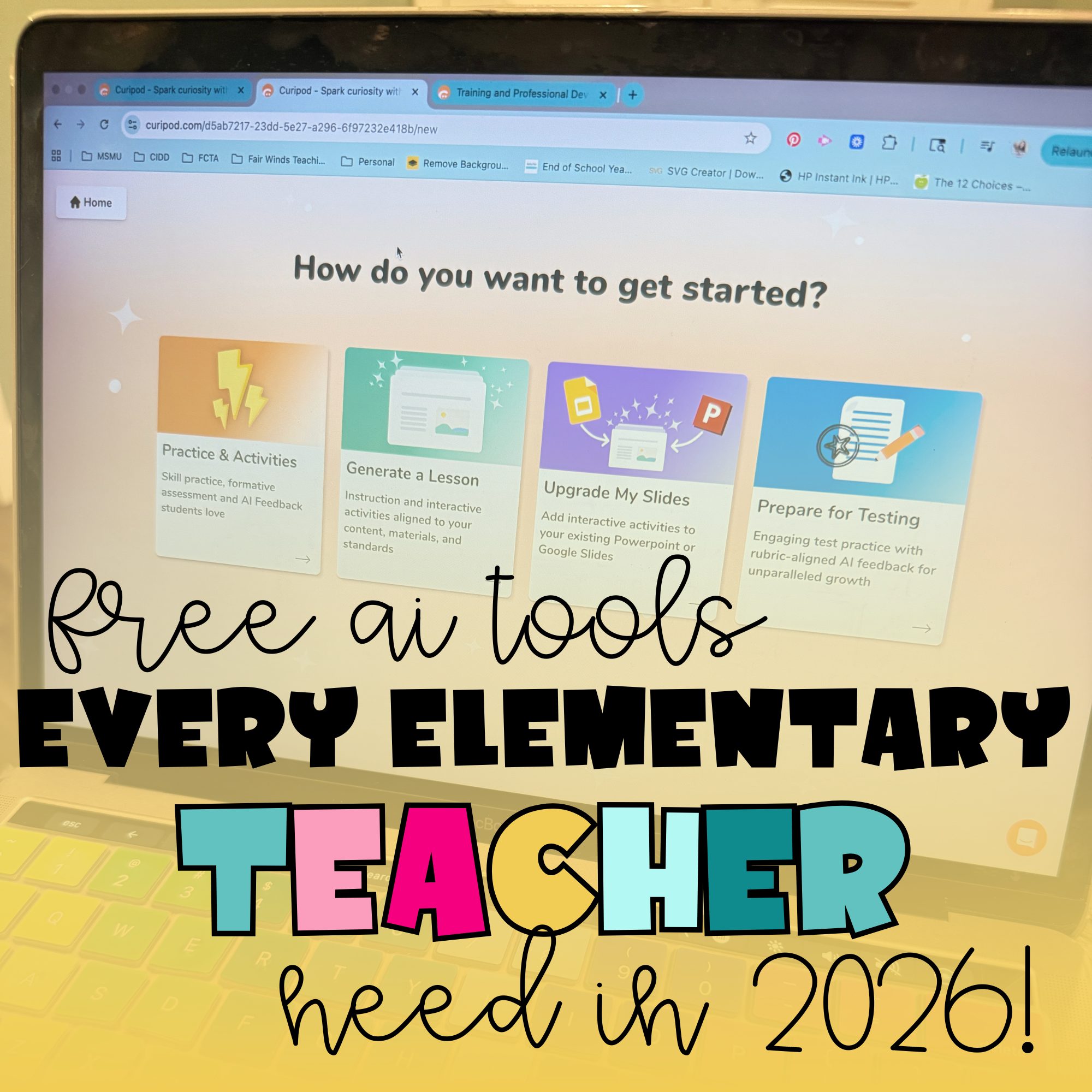
Curipod
Curipod turns your lesson ideas into interactive slides with built‑in engagement.
Use it to:
- Create bell ringers and warm‑ups
- Add polls, drawing activities, and reflection questions
- Boost student engagement (especially during whole‑group lessons)
Perfect for when your students need more than just another slide deck.
Video goodness for you >>>
Diffit
Differentiation just got way easier.
Use Diffit to:
- Adjust reading passages to different grade levels
- Instantly generate comprehension questions
- Support small groups and intervention
This is a must‑have for literacy instruction and meeting diverse learning needs.
Canva for Education (with AI features)
Canva isn’t just for pretty posters anymore.
Use Canva’s AI tools to:
- Create worksheets, anchor charts, and visuals
- Generate writing prompts and text drafts
- Design engaging classroom materials in minutes
Bonus: Canva for Education is free for teachers and integrates beautifully with Google Classroom.
Perplexity
Perplexity is an AI-powered research and question-answering tool that’s especially helpful for teachers who want fast, reliable information without digging through endless tabs.
Use it to:
-
Get clear explanations of topics you’re teaching
-
Find kid-friendly examples and background knowledge
-
Answer “teacher brain” questions quickly and accurately
Unlike traditional search engines, Perplexity gives direct answers with sources, making it a great tool for lesson prep, content accuracy, and building your own background knowledge before teaching a new unit.
This is a powerful option for teachers who want efficient planning, better explanations, and trustworthy information — all in one place.
Video goodness for you >>> Click Here
📊 AI Tools for Assessment & Feedback
Wayground (formally Quizizz AI)
Wayground now lets AI do the heavy lifting.
Use it to:
- Generate quizzes from topics or standards
- Create review games and exit tickets
- Get instant student data
Your students think it’s a game — you get actionable feedback.
Formative (AI Features)
Formative helps you check for understanding in real time.
Use it to:
- Create standards‑aligned questions
- Provide quick feedback
- Adjust instruction on the fly
Great for both whole‑group instruction and small‑group monitoring.
CoGrader
CoGrader is an AI-powered grading and feedback tool designed to help teachers save time while still giving meaningful, personalized feedback.
Use it to:
-
Provide written feedback on student work
-
Identify strengths and areas for growth
-
Speed up grading for writing assignments
CoGrader helps take the repetitive parts of grading off your plate without sacrificing quality. It’s especially useful for short responses, paragraphs, and writing samples, making feedback faster and more consistent.
This tool is a great option for teachers who want to spend less time grading and more time teaching — without feeling like feedback is rushed or generic.
Video goodness for you >>> Click Here
Rolljak.app
Rolljak is a hidden gem for elementary teachers who want quick, standards-aligned practice without spending hours creating it.
Use it to:
-
Generate interactive practice activities
-
Create review questions and quick checks
-
Support independent work, centers, or small groups
What makes Rolljak especially helpful is how simple and student-friendly it is. You don’t need to be tech-savvy to get started, and students can jump right into meaningful practice without a long learning curve.
This is a great option for teachers looking to reinforce skills, streamline prep, and keep students engaged — all without adding another complicated platform to manage.
Video goodness for you >>> Click Here
👩🏫 AI Tools for Classroom Organization & Teacher Workflow
Google Classroom + Gemini
If you’re already using Google Classroom, you may already have access to AI help.
Use Gemini inside Google tools to:
- Draft lesson plans and summaries
- Create quizzes in Google Forms
- Brainstorm activities and examples
It’s familiar, secure, and built into tools you already use daily.
Eduaide.ai
Eduaide is an all‑in‑one AI assistant for educators.
Use it to:
- Create lesson outlines
- Generate discussion prompts
- Build instructional materials quickly
There’s a free tier that’s perfect for testing the waters.
Video goodness for you >>> Click Here
🤖 AI Tools for Brainstorming & Teacher Support
ChatGPT (Free Version)
When used intentionally, ChatGPT can feel like a teaching assistant.
Use it to:
- Rewrite directions in kid‑friendly language
- Generate examples and non‑examples
- Brainstorm centers, projects, and review games
Pro tip: The clearer your prompt, the better your results.
Extensions that are a MUST HAVE
Brisk Teaching
Brisk Teaching is an AI-powered Chrome extension built specifically to help teachers cut their workload in half — without changing the tools they already use.
Use it to:
-
Create lesson plans, slides, and instructional materials
-
Give instant, targeted feedback on student writing
-
Level text and adapt materials for different learners
What makes Brisk stand out is how seamlessly it works inside Google Docs, Slides, and Classroom. With just a few clicks, Brisk helps you move faster while still keeping instruction intentional and student-centered.
This is a must-have tool for teachers who want big time savings with minimal learning curve — especially in literacy-heavy elementary classrooms.
Video goodness for you >>> Click Here
🎒 Student‑Friendly & Creative AI Tools
KidGeni
KidGeni offers creative, age‑appropriate AI tools designed with kids in mind.
Use it for:
- Story starters
- Creative writing inspiration
- Art and imagination activities
This is a fun way to introduce AI responsibly in the elementary classroom.
Final Thoughts: Start Small
You don’t need to use every tool on this list — and you definitely don’t need to overhaul your teaching overnight.
Start with one tool, one lesson, one task you already do every week. Let AI handle the time‑consuming parts so you can focus on what matters most: your students.
If you’d like step‑by‑step tutorials, classroom examples, or short video walkthroughs of these tools, be sure to follow along here at Fair Winds Teaching and on my social platforms. I have a highlight story on all the AI for Teacher videos I have posted so far!
Teaching is hard enough — let’s make it lighter together 🤍